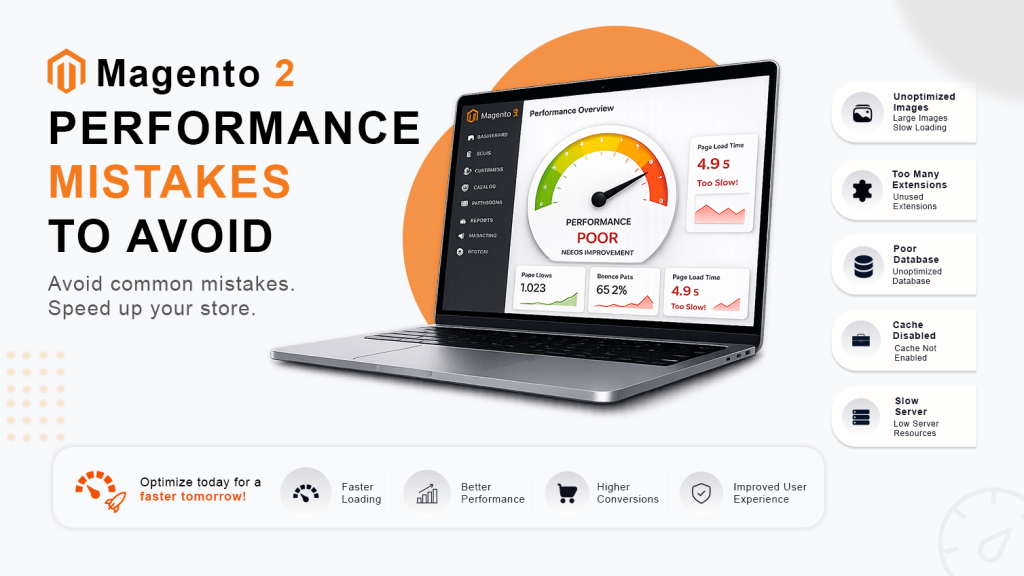


At Ethnic Infotech, an ecommerce development company based in Surat, India specialising in Adobe Commerce / Magento 2 builds for brands across the UK, Singapore, and Australia, we’ve rebuilt and optimised enough Magento stores to know: slow load times aren’t bad luck. They’re predictable, fixable engineering problems. Every single one.
This guide covers every layer of Magento page speed optimization caching, server config, CLI commands, Core Web Vitals, CDN, and the extensions worth installing. Skip the theory you already know. We’re going straight into what actually changes your numbers.
Why Magento Page Speed Matters
Speed is revenue. That’s not a metaphor.
According to Google’s research, each additional second of mobile page load time increases the probability of a bounce by 32%. For an ecommerce store doing £50,000/month, a 1-second delay in page load can translate to a 7% drop in conversions roughly £3,500 a month walking out the door without buying anything.
Magento is powerful. It handles complex catalogs, B2B pricing logic, multi-store configurations, and deep inventory systems better than almost any other platform. But that power comes with weight. Out of the box, a default Magento 2 install with a few extensions and a real product catalog is not fast. It needs configuration.
And Google’s Core Web Vitals LCP, CLS, and INP are now confirmed ranking signals. A slow Magento store isn’t just losing conversions. It’s actively losing search visibility too.
Common Reasons for Slow Magento Websites
Before you fix anything, you need to know what’s actually broken.
1. Large Image Sizes
This is the most common culprit. Uncompressed JPEGs weighing 800KB–2MB per product image will kill your LCP score before anything else. Most product teams upload raw photos straight from a camera or supplier. Nobody checks the file sizes.
Solution: Convert all product images to WebP format (typically 25–35% smaller than JPEG at equivalent quality). Use Magento’s built-in image resizing and implement lazy loading for images below the fold. Tools like ImageOptim, Squoosh, or server-side conversion pipelines handle this at scale.
2. Unoptimized JavaScript and CSS
Magento 2 ships with a significant JS payload. Add six or seven extensions and you can easily end up serving 2–4MB of JavaScript that blocks render.
Solution: Enable JavaScript bundling in Magento Admin, minify both JS and CSS, and defer non-critical scripts. Enabling Production mode handles most of this automatically which is why running in Developer mode on a live store is a mistake we see more often than we should.
3. Poor Hosting Performance
Shared hosting. Underpowered VPS. A server without OPcache enabled. All three are common, and all three put a ceiling on how fast your store can ever be regardless of how well everything else is configured.
Solution: Magento 2 needs a properly provisioned server. Managed Magento hosting from providers like Nexcess, Cloudways, or a dedicated cloud setup on AWS or GCP with proper resource allocation makes a measurable difference. At Ethnic Infotech, our DevOps stack runs Kubernetes and Terraform on GCP stores on that infrastructure handle traffic spikes without the slowdowns you see on shared environments.
4. Too Many Extensions
Each extension adds database queries, event observers, and sometimes front-end assets. Fifteen mediocre extensions can outweigh the performance benefit of ten well-chosen ones.
Solution: Audit your installed extensions quarterly. Disable anything that isn’t actively used. Choose performance conscious vendors (more on this in the extensions section below). One extension doing two things cleanly beats two extensions doing one thing each with overhead.
Best Magento Page Speed Optimization Techniques
Enable Full Page Cache
Full Page Cache (FPC) is the single biggest lever you have in Magento. It caches entire rendered pages so Magento doesn’t have to rebuild the HTML from scratch on every request.
Steps to enable built-in cache:
Go to Admin > System > Cache Management and enable Full Page Cache. For small stores, the built-in FPC (stored in Magento’s file cache or Redis) is a reasonable starting point.
But for anything with real traffic, use Varnish.
Use Varnish Cache
Varnish sits in front of your Magento server as a reverse proxy. When a cached page is requested, Varnish serves it without touching PHP or the database at all. Response times drop from 300–800ms down to 5–30ms. That’s not an exaggeration it’s what a properly configured Varnish setup delivers.
Varnish benefits at a glance:
Dramatically reduced TTFB (Time to First Byte)
Handles traffic spikes without server strain
Works natively with Magento’s built-in cache invalidation
Supported out of the box by Magento 2’s VCL export feature
Enable it via Admin > Stores > Configuration > Advanced > System > Full Page Cache and set the Caching Application to Varnish Cache. Export the VCL file and load it into your Varnish configuration.
Enable Production Mode
Running Magento in default or developer mode on a live store is a performance tax you shouldn’t be paying.
Command:
php bin/magento deploy:mode:set production Benefits: Production mode merges and minifies all static assets, disables template hints and debug output, enables JS/CSS bundling, and removes error detail from the frontend. The difference in TTFB between developer and production mode on a real Magento install can be 800ms or more.
Enable JavaScript Bundling
JavaScript bundling reduces the number of HTTP requests by combining multiple JS files into fewer, larger files.
Steps: Go to Admin > Stores > Configuration > Advanced > Developer > JavaScript Settings and enable:
Merge JavaScript Files → Yes
Minify JavaScript Files → Yes
Enable JavaScript Bundling → Yes
One caveat: bundling with HTTP/2 isn’t always faster, because HTTP/2 handles parallel requests efficiently. Test before and after with GTmetrix or WebPageTest rather than assuming bundling always helps.
Optimize CSS Delivery
CSS that blocks rendering delays everything.
Recommended improvements:
Enable Merge CSS Files and Minify CSS Files in Admin settings
Move critical CSS inline for above-the-fold content
Defer non-critical stylesheets
Remove unused CSS Magento ships with a lot of it
Use WebP Images
WebP delivers the same visual quality as JPEG at roughly 25–34% smaller file size (Google research, 2023). On a product catalog with 500+ images, that’s a significant cumulative payload reduction.
Benefits:
Smaller files, faster load
Supported by all major modern browsers (Chrome, Firefox, Safari, Edge)
Lossless and lossy compression options
Works with Magento’s built-in image resizing via third-party modules
Implement Lazy Loading
Images below the fold shouldn’t load until the user scrolls to them. This is basic now, but plenty of Magento stores still don’t have it properly implemented.
Benefits:
Reduces initial page weight significantly on category pages with many products
Improves LCP by letting the browser focus on above-the-fold content first
Native browser lazy loading (loading=”lazy”) works in all modern browsers
Add loading=”lazy” to all <img> tags outside the initial viewport. Your product listing pages will thank you.
Optimize Fonts
Web fonts are a sneaky LCP problem. A 300ms font block means 300ms of invisible text or layout-shifting text when the font finally loads.
Best practices:
Use font-display: swap to show text immediately while fonts load
Self-host fonts rather than relying on Google Fonts CDN (one fewer DNS lookup)
Subset fonts to include only the characters you actually use
Preload critical fonts with <link rel=”preload”>
Enable GZIP Compression
GZIP compresses server responses before sending them. For text-based assets (HTML, CSS, JS), compression ratios of 60–80% are typical.
Enable in Apache (.htaccess):
<IfModule mod_deflate.c> AddOutputFilterByType DEFLATE text/html text/css application/javascript </IfModule> Enable in Nginx:
gzip on; gzip_types text/plain text/css application/json application/javascript; This is low-effort, high-return. There’s no good reason not to have it enabled.
Use a Content Delivery Network (CDN)
A CDN caches your static assets (images, CSS, JS) on servers geographically close to your visitors. A customer in London loading your store from an origin server in India without a CDN is adding 150–250ms of latency to every asset request.
Popular CDN providers for Magento:
| CDN | Best For | Magento Native Support | Approximate Cost |
|---|---|---|---|
| Cloudflare | General use, DDoS protection | Via extension | Free tier available |
| Fastly | Enterprise / Adobe Commerce | Yes (Adobe-recommended) | Usage-based |
| AWS CloudFront | AWS-hosted stores | Via extension | Usage-based |
| Akamai | Large enterprise | Yes | Enterprise pricing |
| BunnyCDN | Cost-conscious setups | Via extension | ~$0.01/GB |
Benefits: Faster asset delivery globally, reduced origin server load, built-in HTTPS and HTTP/2, better cache hit rates on static content.
Improve Core Web Vitals in Magento
Google measures three Core Web Vitals for ranking: LCP, CLS, and INP.
Largest Contentful Paint (LCP)
LCP measures how long the largest visible element (usually a hero image or H1) takes to render. Google’s “good” threshold is under 2.5 seconds.
Improve LCP by:
Preloading the hero image with <link rel=”preload” as=”image”>
Using WebP for the hero image
Ensuring Varnish or FPC is serving cached pages (reduces TTFB)
Hosting images on a CDN
Eliminating render-blocking resources above the fold
Cumulative Layout Shift (CLS)
CLS measures how much the page visually shifts as it loads. A banner that jumps, a font that loads and reflows, a late-loading image that pushes content down — all of these contribute to a poor CLS score. Good threshold: under 0.1.
Reduce CLS by:
Always specifying width and height on all <img> tags
Reserving space for ads and dynamic content
Using font-display: swap carefully (can cause text reflow test it)
Avoiding dynamically injected content above existing content
Interaction to Next Paint (INP)
INP replaced FID as a Core Web Vital in 2024. It measures how long the browser takes to respond to a user interaction (click, tap, keyboard input). Good threshold: under 200ms.
Improve INP by:
Reducing JavaScript execution time and long tasks
Breaking up heavy JS processing with scheduler.yield() or setTimeout
Deferring non-critical third-party scripts (chat widgets, analytics)
Auditing and trimming your extension JavaScript footprint
Magento Server Optimization Tips
Upgrade PHP Version
PHP version has a direct, measurable impact on Magento performance. PHP 8.2 executes PHP code approximately 30–50% faster than PHP 7.4 (Zend benchmarks, 2023).
Recommended version: PHP 8.2 or higher. Magento 2.4.7+ fully supports PHP 8.3.
If you’re still running PHP 7.4 on a production Magento store in 2026, this is the first thing to fix. It’s not just a performance issue PHP 7.4 reached end-of-life in November 2022.
Enable OPcache
OPcache stores compiled PHP script bytecode in memory, so Magento doesn’t have to recompile PHP files on every request. Without it, every page load re-reads and re-parses PHP files from disk.
Add to your php.ini:
opcache.enable=1 opcache.memory_consumption=512 opcache.max_accelerated_files=60000 opcache.revalidate_freq=2 The memory_consumption value depends on your catalog size. For large Magento stores (10,000+ SKUs), 512MB or higher is appropriate.
Magento CLI Commands for Performance
Run these regularly especially after deployments:
Reindex Magento:
php bin/magento indexer:reindex Flush Cache:
php bin/magento cache:flush Deploy Static Content:
php bin/magento setup:static-content:deploy The static content deployment step compiles and merges all CSS, JS, and template files. Skipping it after a code change is a common source of “why is the site suddenly slow” calls.
Ready to Speed Up Your Magento Store?
Slow Magento page speed can cost you traffic, sales, and search rankings. Our Magento performance experts optimize your store for faster load times, improved Core Web Vitals, and a smoother shopping experience that drives more conversions.
Best Tools to Test Magento Speed
| Tool | What It Measures | Best Used For |
|---|---|---|
| Google PageSpeed Insights | Core Web Vitals, FCP, LCP, CLS, INP | Quick CWV audit, Google’s perspective |
| GTmetrix | Waterfall, page size, request count | Identifying specific slow assets |
| Lighthouse | Full performance audit, accessibility | Developer-side detailed audits |
| WebPageTest | Multi-location testing, filmstrip view | Real-world load testing across geographies |
Test from multiple locations. A store that loads in 1.8s from India might load in 3.5s from the UK if CDN isn’t configured. We’ve seen this exact scenario on stores built by other agencies — and it’s fixable in hours, not weeks.
Advanced Magento Performance Tips
Use Redis for Cache Storage
Redis is an in-memory data store. Using it for Magento’s cache (instead of file-based cache) reduces cache read/write times dramatically.
Configure in app/etc/env.php:
'cache' => [ 'frontend' => [ 'default' => ['backend' => 'Cm_Cache_Backend_Redis', ...], 'page_cache' => ['backend' => 'Cm_Cache_Backend_Redis', ...] ] ] Benefits: Faster cache reads, better handling of cache invalidation, supports cache tagging (used heavily by FPC), handles concurrent requests better than file cache.
Use Elasticsearch Properly
Magento 2.4+ requires Elasticsearch (or OpenSearch) for catalog search. But a misconfigured Elasticsearch setup can actually slow things down.
Optimize by:
Tuning index settings for your catalog size
Scheduling re-indexing during off-peak hours rather than real-time
Ensuring Elasticsearch has adequate heap memory (at least 1GB for medium catalogs)
Regularly cleaning up orphaned indexes
Reduce Third-Party Scripts
Every third-party script chat widgets, retargeting pixels, analytics, heatmaps, review widgets — adds render-blocking time, DNS lookups, and often contributes heavily to INP scores.
Recommendations:
Load all third-party scripts asynchronously or deferred
Use Google Tag Manager with a sensible firing strategy rather than inline scripts
Audit scripts quarterly dead pixels from old campaigns are common
Consider removing chat widgets from product pages specifically (high INP impact)
Recommended Magento 2 Performance Optimization Extensions
Most performance problems can be solved with configuration. But some extensions genuinely help when chosen carefully.
Amasty Extensions for Magento Speed Optimization
Amasty is one of the more established Magento extension vendors. Their performance modules are well-maintained and generally conflict-free with standard Magento setups.
Popular performance modules:
Lazy Load for Images & Videos: Native implementation, minimal overhead
Page Speed Optimizer: Handles JS/CSS optimization, image lazy loading, and prefetching in one module
Image Optimizer: Automates WebP conversion and image compression
Benefits: Regular updates, strong documentation, compatibility tested across Magento 2.4.x versions.
SwissUp Labs Lightweight Frontend Optimization
SwissUp Labs is worth knowing about specifically because their modules prioritize lightweight implementation over feature bloat.
Popular modules:
Breeze Evolution Theme: A performance-focused Magento theme built to reduce JS payload
Pagespeed Module: CSS/JS optimization with deferred loading support
Why developers prefer SwissUp: Their approach to JavaScript is conservative. Rather than adding another JS framework on top of RequireJS, they minimize the JS footprint. For stores not ready for Hyvä, Breeze is a practical middle ground.
Magefan Performance & SEO Extensions
Magefan produces solid, lightweight extensions. Their performance tools are particularly good for stores that want targeted improvements without a full frontend overhaul.
Popular modules:
Lazy Load: One of the cleaner implementations available
Blog & SEO Suite: Relevant if content performance matters alongside store speed
Benefits: Affordable, clean code, active development.
Mirasvit Advanced Magento Optimization Modules
Mirasvit builds more complex modules suited to stores with specific performance bottlenecks.
Recommended extensions:
Cache Warmer: Automatically crawls and pre-warms the FPC after flushes, so real users never hit cold cache
Advanced SEO Suite: Handles technical SEO alongside performance-related markup
Benefits: Cache Warmer specifically solves a real problem that most stores ignore — the performance cost of cache misses after deployments.
Aheadworks Optimized Magento Extensions
Aheadworks builds for reliability first. Their modules are generally well-optimized and avoid common pitfalls like excessive event observers.
Popular modules:
Layered Navigation: A performance-conscious replacement for Magento’s default layered nav, which notoriously generates slow queries on large catalogs
Benefits: Good enterprise-grade stability. Worth it for stores with complex category structures.
BSS Commerce Magento 2 Optimization Solutions
BSS Commerce offers several practical modules at competitive price points.
Recommended modules:
Image Optimizer: Batch WebP conversion with scheduled jobs
Lazy Load Images: Straightforward implementation
Good option for mid-market stores that need results without enterprise-tier budgets.
Mageplaza Affordable Performance Extensions
Mageplaza has a wide catalog and generally reasonable code quality. Their performance tools are accessible for stores that want quick wins.
Popular optimization modules:
Page Speed: Covers the common optimizations (image optimization, JS/CSS merging, lazy loading) in a single module
LazyLoad: Standalone option if you only need that specific feature
Benefits: Active support, good documentation, affordable licensing.
Hyvä Themes: High-Performance Magento Frontend
This deserves its own conversation.
Hyvä replaces Magento’s default Luma/Blank frontend entirely. Instead of the RequireJS + KnockoutJS stack that ships with Magento (which is slow by modern standards), Hyvä uses Alpine.js and Tailwind CSS. The result is a significantly lighter JavaScript payload and dramatically faster rendering.
Why Hyvä is popular:
PageSpeed scores in the 90s are genuinely achievable with Hyvä — not a stretch goal
Alpine.js replaces KnockoutJS with a fraction of the weight
Tailwind CSS is purge-enabled, so the CSS shipped is only what’s used
Actively maintained by a strong community with commercial support
The trade-off: Hyvä requires rebuilding your frontend templates. It’s not a drop-in theme — it’s a frontend replatform within Magento. For stores that have invested heavily in custom Luma components, this is a real project, not an afternoon’s work.
But for new builds or stores planning a significant refresh, Hyvä is the right choice. At Ethnic Infotech, for clients doing Magento-backed headless commerce, we also build with GraphCommerce: which gives you the performance benefits of a React frontend on top of an Adobe Commerce backend.
Tips Before Installing Magento Extensions
Before you install anything:
Check the module’s latest compatibility version against your Magento version
Read the changelog: look for how frequently the vendor updates
Test on a staging environment, not directly on production
Check if the extension adds event observers: too many observers slow the checkout
Look for reviews from developers, not just merchants: implementation quality matters
Uninstall cleanly if you decide not to keep it (composer remove vendor/module)
What Actually Moves the Needle
I want to be direct here, because there’s a lot of noise in Magento performance advice.
The 20% of changes that deliver 80% of the speed improvement, in order:
First: Enable Varnish and configure it correctly. Not built-in FPC Varnish. This single change, done properly, will be the biggest before/after difference you ever see on a Magento store.
Second: Upgrade PHP to 8.2+. If you’re on 7.4, you’re leaving serious performance on the table.
Third: Move to Redis for cache. File-based cache doesn’t handle concurrent invalidation well. Redis does.
Fourth: Get images right. WebP, lazy loading, proper dimensions. Image problems are the most visible bottleneck and one of the fastest to fix.
Fifth: Enable Production mode. This should be obvious, but it’s often not.
Everything else CDN, OPcache tuning, JS bundling, font optimization matters. But if you haven’t done those five things first, doing the others is building on a wobbly foundation.
We’ve worked on Magento stores for RoughTrax 4X4 (a UK Toyota parts retailer) and Blue Lagoon (a Netherlands reptile retailer), among others. The pattern is consistent: the stores that were slow had almost always skipped one or more of those five foundational steps. The stores that were fast had all five locked in.
One more thing: don’t obsess over PageSpeed Insights scores as an end in themselves. A score of 94 that converts worse than a score of 78 is a failure. Measure conversions. Measure bounce rate on mobile. Measure revenue per session. Speed matters because of what it does to those numbers not because 100/100 is a badge.
FAQ
Q: How do I speed up my Magento 2 store?
A: The most impactful steps are: enable Varnish Cache for Full Page Cache, upgrade to PHP 8.2 or higher, use Redis for cache and session storage, convert product images to WebP format, and set Magento to Production mode. Together, these can reduce TTFB by 60–70% on most stores. Run Google PageSpeed Insights before and after to measure the difference.
Q: What is the best cache configuration for Magento 2 performance?
A: Varnish Cache as the Full Page Cache layer, combined with Redis for default cache and session storage. Varnish handles full-page caching at the server level (bypassing PHP entirely for cached requests), while Redis provides fast in-memory storage for granular cache objects. The built-in file-based FPC is a fallback, not a production solution.
Q: How do I fix Core Web Vitals in Magento?
A: For LCP, preload the hero image and ensure Varnish is serving cached pages to reduce TTFB. For CLS, add explicit width and height attributes to all images and reserve space for dynamic content. For INP, audit your JavaScript footprint — particularly extension JS — and defer non-critical third-party scripts. Hyvä Themes delivers the most dramatic CWV improvement for stores willing to rebuild the frontend.
Q: Does Varnish Cache actually improve Magento speed that much?
A: Yes. On a properly configured Magento 2 store, uncached TTFB typically runs between 300ms and 1,200ms depending on catalog size. With Varnish serving cached pages, that drops to 5–30ms. For logged-out users browsing category and product pages (the majority of traffic for most stores), this is transformative. Varnish doesn’t help with logged-in sessions or cart pages — those bypass the cache by design.
Q: Which Magento 2 extensions improve page speed the most?
A: For broad impact, Amasty’s Page Speed Optimizer covers the most ground cleanly. For the largest frontend performance improvement, Hyvä Themes is in its own category — but it requires a frontend rebuild. Mirasvit Cache Warmer solves a specific problem (post-deploy cold cache) that costs real conversion on high-traffic stores. Start with server-level configuration before reaching for extensions.
Q: How does PHP version affect Magento performance?
A: Significantly. PHP 8.2 executes code approximately 30–50% faster than PHP 7.4 (Zend benchmark data, 2023), primarily through JIT compilation improvements and reduced internal overhead. PHP 7.4 reached end-of-life in November 2022 and receives no security patches. Upgrading to PHP 8.2+ is both a performance and security requirement for any production Magento store.
Magento Page Speed Optimization
Contact Ethnic Infotech for Magento page speed optimization.
Planning your next product, platform, or growth move?
Ethnic Infotech helps teams shape scalable software, sharper customer experiences, and content systems that support real business growth.