

Hire Adobe App Builder & API Mesh Developers
Adobe App Builder and API Mesh developers for Adobe Commerce
On Adobe Commerce as a Cloud Service there is no core to customize, so everything custom runs out of process, through App Builder actions, events, webhooks, and API Mesh. We provide developers who already build this way and join your sprints, your tools, and your App Builder projects, scoped to your actual backlog.
- App Builder actions, events, and webhooks on Adobe I/O Runtime
- API Mesh to put Commerce, ERP, PIM, and CRM behind one GraphQL endpoint
- For Adobe Commerce as a Cloud Service, on Cloud, and on-premises
Overview
Out-of-process engineering, added to your team on your terms
Moving customization out of the Commerce core changes the skills a team needs: serverless functions, event-driven design, and API composition rather than PHP modules. You keep direction over priorities; we bring the App Builder experience and the hands to build.
What does it mean to hire Adobe App Builder and API Mesh developers?
It means adding engineers who build Adobe Commerce customizations outside the core application, as a dedicated team, embedded staff, a scoped project, or a support retainer. They write App Builder actions, subscribe to Commerce events and webhooks, and configure API Mesh, while you keep day-to-day direction of the work.
Adobe Developer App Builder is Adobe's serverless extensibility platform. It brings together Runtime actions, events, webhooks, API Mesh, storage, and custom admin UI, so custom logic sits beside Commerce rather than inside it. Our guide to Adobe Commerce as a Cloud Service and App Builder explains why that shift matters.
This page is about App Builder and API Mesh specifically. For Adobe Commerce developers across the whole platform, see Hire Adobe Commerce Developers, and for a scoped build, see Adobe Commerce Development.
Why Teams Hire Us
Common reasons to bring in App Builder and API Mesh developers
A hiring decision like this is usually triggered by a specific, recognizable gap rather than a general staffing preference.
No Core Access on the Cloud Service
On Adobe Commerce as a Cloud Service there is no app/code and no core to extend, so custom logic has to be rebuilt out of process.
PHP Modules Need a New Home
Existing plugins and observers have to be mapped to actions, events, or webhooks before a migration can move.
Storefronts Call Too Many APIs
Product pages wait on Commerce, an ERP, a PIM, and a CRM, each with its own auth and its own chance to be slow.
Real-Time Logic Mid-Checkout
Fees, stock checks, or fraud scoring need an outside system to answer before Commerce finishes the step.
In-House Hiring Takes Too Long
App Builder experience is still rare, and a search for it can take months the roadmap does not have.
Data Outgrows Simple Storage
Key-value State Storage works for flags and tokens, not for records that need filtering, sorting, and reporting.
Integrations Need an Owner
Order, stock, and customer sync now runs through events and actions, and each flow needs someone accountable.
Continuity Across Releases
The same developers should still know your apps, events, and mesh months later, not restart context each time.
Ways To Hire
Engagement models for App Builder and API Mesh work
Scope and team size are agreed around your actual gap, not a fixed package. No rates are shown here, because a number quoted before we see your platform would be a guess.
Dedicated Team
Developers working only on your App Builder projects and mesh, for continuous delivery against a standing roadmap.
Staff Augmentation
One or two App Builder developers join your in-house team, follow your processes, and work alongside your own engineers.
Project-Based Engagement
A defined scope against written milestones, such as a customization migration, an API Mesh build, or an integration, then roll off or move to support.
Support & Optimization
A retainer for monitoring, fixes, and new actions or mesh sources after launch.
What Our Developers Do
Six areas our App Builder and API Mesh developers cover
Hire for one focused gap or standing capacity across the whole extensibility layer. It is the same team either way.
Runtime
App Builder Actions & Apps
An App Builder action is a small serverless function on Adobe I/O Runtime that runs only when something calls it. Actions are how Commerce processes custom requests, reacts to events, and talks to outside systems without touching the core.
- Runtime actions in Node.js, from project setup to deploy
- Adobe I/O CLI projects, workspaces, and environments
- Commerce Admin extensions and custom UI
- Secure handling of credentials and API keys
Read our guide to creating your first Adobe App Builder action →
Event-Driven
Events & Webhooks
Events tell an App Builder action that something happened in Commerce, such as an order placed or a product saved. Webhooks go further: Commerce sends data to an endpoint, waits for the answer, and acts on it before the step completes.
- Adobe I/O Events subscriptions and handlers
- Webhook subscriptions configured in the Commerce Admin
- Synchronous logic such as fees, stock checks, and validation
- Retries, timeouts, and failure handling for each flow
Read our guide to subscribing webhooks in Adobe Commerce as a Cloud Service →
API Layer
API Mesh & GraphQL
API Mesh for Adobe Developer App Builder sits in front of Adobe Commerce GraphQL and your other sources, such as REST, OpenAPI, and SOAP services, and merges them into a single GraphQL endpoint. The storefront sends one query and gets one response back.
- Mesh configuration for Commerce, ERP, PIM, and CRM sources
- Schema stitching, transforms, and custom resolvers
- Authentication headers and secrets for each source
- Query performance and caching review
Read our guide to Adobe API Mesh and how one GraphQL endpoint replaces many calls →
Cloud Service
Customization Migration
Moving to Adobe Commerce as a Cloud Service means every PHP customization is rebuilt out of process, replaced by a built-in feature, or dropped. The work starts with an inventory of what you have, not with code.
- Inventory of modules, plugins, and observers
- Mapping each one to an action, event, webhook, or mesh source
- Rebuild order planned around launch dependencies
- Testing old and new behavior side by side
Connected Systems
Integrations & ERP Sync
On the out-of-process model, integrations become events, actions, and mesh sources rather than modules inside Commerce, so inventory, orders, and pricing stay in sync without core changes.
- Order and customer sync to ERP and CRM
- Stock and price updates from back-office systems
- Payment, shipping, and tax service connections
- Data mapping, error handling, and testing for each flow
Lifecycle
Storage, Monitoring & Support
App Builder apps need the right storage and someone watching them. State Storage suits small key-value data, File Storage suits files, and App Builder Database Storage handles structured records that need querying.
- Choosing State, File, or Database Storage for each need
- Logging, activation records, and alerting
- Updates when connected APIs or Commerce features change
- Long-term maintenance and support retainers
Read our guide to Adobe App Builder Database configuration →
In-Process or Out-of-Process
Where your customization should live
Hire for the platform you run. The same team works on both models and flags what changes between them.
PHP modules, plus App Builder where it fits
Core PHP customization is still available, so out-of-process work is a choice. App Builder suits logic that should survive upgrades, scale on its own, or be ready for a later move to the Cloud Service.
- You have existing PHP modules that work
- Some new logic is better kept outside the core
- A Cloud Service move is on the horizon
Out-of-process only, through App Builder
A managed, versionless SaaS platform with no core code access. Custom logic runs through App Builder actions, API Mesh, events, and webhooks, and Adobe runs the platform updates.
- Every customization is an App Builder app or configuration
- API Mesh combines Commerce with your other systems
- Webhooks handle logic that must run mid-process
Not sure which applies to you? Our guide to what Magento Commerce is called now sorts out the names, and we recommend a split after scoping.
How It Works
A clear path from first call to shipping alongside you
The same four stages apply regardless of team size.
Scope
We review your Adobe Commerce offering, customizations, integrations, and APIs, and the gap you are filling, then recommend a model.
Output: Recommended fitMatch
You meet the specific developers proposed and approve the fit before anything starts.
Output: Confirmed teamEmbed
Developers join your standups, sprints, repository, and App Builder workspaces, with a visible shared backlog.
Output: Active sprint cycleScale
Flex the team up or down as the roadmap shifts, without losing platform context.
Output: Adjusted capacityFrom Our Engineering Team
Practical guides we have published on App Builder and API Mesh
Written by the team you would be hiring, from real Adobe Commerce as a Cloud Service work.
Adobe Commerce as a Cloud Service
Why customization now runs through App Builder, not the core.
Read Guide →GuideYour First App Builder Action
From a blank project to a live, invokable endpoint.
Read Guide →GuideAdobe API Mesh
How one GraphQL endpoint replaces several storefront calls.
Read Guide →GuideWebhooks in the Cloud Service
The Admin workflow, field by field, and what goes wrong.
Read Guide →GuideApp Builder Database Storage
When State Storage is not enough, and how it really works.
Read Guide →GuideMagento Commerce Explained
Adobe Commerce, Magento Open Source, and the names in between.
Read Guide →Selected Work
Real Magento and headless projects delivered by Ethnic Infotech
Our published case studies list their platform as Magento, not App Builder or API Mesh specifically, so we show them as the Magento and headless delivery this work builds on. None publishes measured results, so none are shown.

Tong Garden
A GraphCommerce storefront on a Magento backend for a snack brand's India store, built in partnership with Thirteen Ideation.
View Case Study →
Fusion5
A Magento modernization project for a technology and electronics brand in the USA, focused on product discovery, smoother browsing, catalog management, and a faster mobile experience.
View Case Study →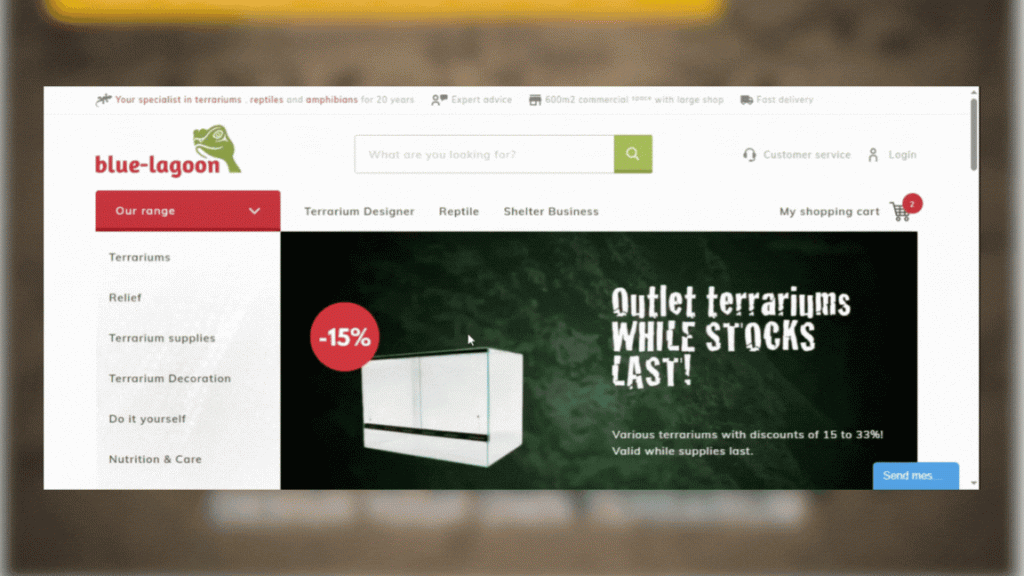
Blue Lagoon
Magento delivery for a Netherlands-based reptile retailer, focused on smoother catalog discovery, safer storefront operations, and a clearer checkout experience.
View Case Study →Why Ethnic?
Developers who behave like staff, not a vendor
We connect App Builder depth, Adobe Commerce knowledge, and flexible team size into one accountable engagement.
- App Builder, API Mesh, and Adobe Commerce capability in the same team
- Hands-on guides published from real Cloud Service work
- PHP and out-of-process experience, so migrations are planned both ways
- Work inside your existing tools and process, and you keep day-to-day direction
- Team size flexes with the roadmap, up or down
- Honest scoping, and plain about what proof we can and cannot show
Related Services
Connect hiring with the wider Adobe Commerce roadmap
Use a dedicated developer alongside a scoped project when the work calls for both.
Frequently Asked Questions
Hiring Adobe App Builder and API Mesh developers: FAQs
Direct answers about App Builder, API Mesh, migration, certification, and flexibility.
What does an Adobe App Builder developer do on an Adobe Commerce store?
They build the custom logic that runs outside Commerce: serverless actions on Adobe I/O Runtime, handlers for Commerce events, webhook endpoints that Commerce calls mid-process, API Mesh configurations, and the storage and admin UI those pieces need. On Adobe Commerce as a Cloud Service, this is where all customization lives.
What is Adobe API Mesh, and when do we need it?
API Mesh is a managed gateway in Adobe Developer App Builder that combines GraphQL, REST, and other API sources behind a single GraphQL endpoint. You need it when a storefront or app has to pull data from Commerce and other systems, such as an ERP, PIM, or CRM, and you want one query instead of several separate calls. See our guide to Adobe API Mesh.
Do we need App Builder if we are on Adobe Commerce on Cloud, not the Cloud Service?
Not always. On Adobe Commerce on Cloud and on-premises, PHP modules are still available, so the choice is a design decision. App Builder is worth it when you want logic that survives upgrades, scales separately, or prepares you for a later move to the Cloud Service. We recommend a split after scoping. See In-Process or Out-of-Process.
Can you move our existing PHP customizations to App Builder?
It starts with an assessment. Each module, plugin, and observer is mapped to an App Builder action, an event, a webhook, an API Mesh source, or an out-of-the-box feature, or it is dropped. Some logic changes shape on the way, so we agree the plan with you before rebuilding anything. See Customization Migration.
Which tools and services do your developers work with?
Adobe Developer App Builder and the Adobe I/O CLI, Runtime actions in Node.js, Adobe I/O Events, Commerce webhooks, API Mesh, App Builder State, File, and Database Storage, and Adobe Commerce GraphQL and REST APIs. We publish practical guides on several of these.
Can your developers work inside our existing team and tools?
Yes. With staff augmentation, developers join your standups, project tracker, and Git repository, deploy through your App Builder projects and workspaces, and follow your review process rather than a separate one.
Are your developers Adobe certified?
We make no certification claim on this page. If certification matters to your decision, ask for the credentials of the specific developers proposed on the scoping call, and check them with the issuer before committing.
Do you have App Builder or API Mesh case studies?
Not a published one yet. Our published case studies list their platform as Magento, so we show them as the Magento and headless delivery this work builds on, and we point to our App Builder and API Mesh guides as evidence of hands-on depth. See Selected Work.
How do you scope and quote App Builder work?
Every engagement is scoped to your platform: the customizations, events, integrations, and APIs in play, and the capacity you want. A clear, itemized quote follows an initial scoping call, and we do not quote hourly rates before seeing your setup. Timing is confirmed on the same call.
What happens after the apps go live?
Out-of-process code still needs care: Runtime limits, event and webhook failures, API changes in connected systems, and new Commerce features. You can keep the same developers on a support retainer for monitoring, fixes, and new work.
Add Capacity This Sprint
Add experienced App Builder and API Mesh developers to your team
Tell us what has to move out of the core, or which systems your storefront needs to reach. We will come back with a real recommendation on team shape, size, and timing.