
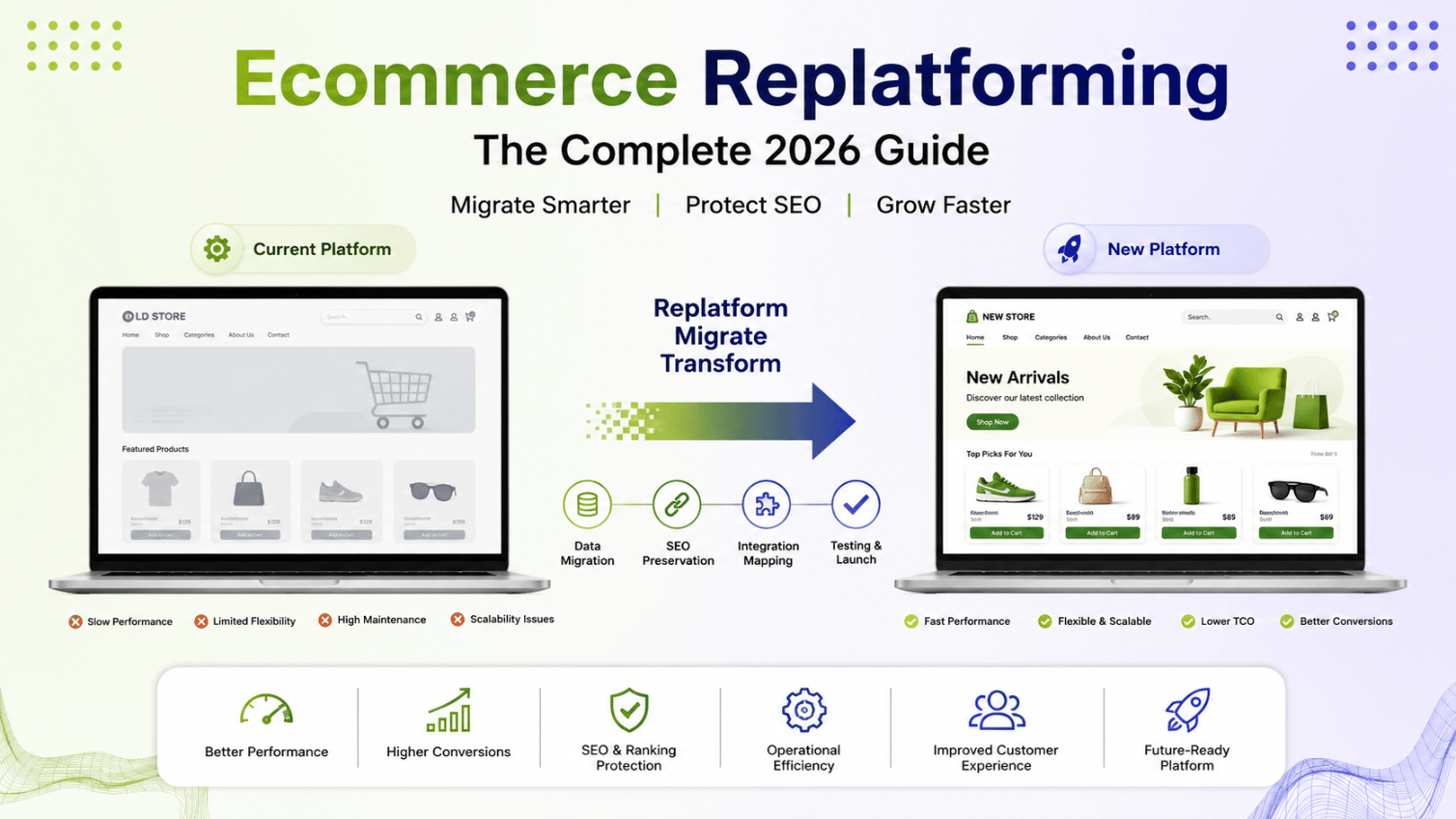
Replatforming isn’t a redesign. It’s not a theme refresh. It’s ripping out the engine of your store and putting in a new one while the car is still driving. Get it right and you unlock speed, better checkout conversion, and years of runway. Get it wrong and you lose your rankings, your order history, and a chunk of your revenue in the process.
The Short Version
Ecommerce replatforming means moving your store’s entire technical foundation, catalog, checkout, and backend, from one platform to another (say, Magento to Shopify Plus, or a monolith to headless). Most projects take 8 to 16 weeks depending on catalog size and custom integrations, and the biggest risk isn’t the build itself. It’s losing SEO equity and order continuity if the migration isn’t planned properly.
What Is Ecommerce Replatforming?
At its core, ecommerce replatforming is the process of moving your online store to a new technology foundation without losing what already works. That includes your product catalog, customer accounts, order history, payment integrations, and, critically, your SEO rankings.
People confuse this with a redesign constantly. A redesign changes how the store looks. A replatform changes what the store runs on underneath. You can redesign a Shopify store and still be on Shopify a year later. You can’t replatform without touching the database, the checkout logic, and every third-party integration your ops team quietly depends on.
We’ve run this process for stores moving Magento to GraphCommerce, monolith Magento to headless React front ends, and legacy platforms into Shopify Plus. Every single time, the technical migration was the easy 40%. The other 60% was data mapping, SEO preservation, and getting the operations team comfortable with a new admin panel they’d never touched before.
Signs Your Current Platform Is Holding You Back
Most merchants don’t replatform because they woke up excited about new technology. They replatform because something broke, or kept breaking, until the cost of staying became higher than the cost of moving.
Here’s what that usually looks like in practice:
- Page speed that won’t budge. You’ve compressed every image, minified every script, and your product pages still load in 4+ seconds. Sometimes the platform itself is the ceiling.
- Development costs climbing for smaller and smaller changes. If a simple filter update now takes three sprints and a specialist developer, the platform’s architecture is fighting you.
- Catalog complexity your platform wasn’t built for. B2B pricing tiers, multi-warehouse inventory, wholesale plus retail on one storefront. Some platforms genuinely cap out here.
- Checkout abandonment that design tweaks won’t fix. Baymard Institute’s ongoing cart abandonment research points to checkout friction as one of the largest drivers of lost revenue, and on some legacy platforms, that friction is baked into the architecture itself.
- You’re paying for a platform built for a store five times your size, or five times too small.
None of these alone screams “replatform now.” But when three or four of them stack up at once, that’s usually the signal.
Replatforming Options: Shopify, Magento, Headless
This is the part everyone wants to skip to, so let’s be direct about it.
Shopify Plus: Fast to Launch, Limited on Deep B2B Logic
Shopify Plus works well if you want speed to launch, predictable hosting costs, and an ecosystem of apps that solve 90% of common problems without custom code. It’s not built for deep B2B pricing logic or highly complex catalogs, though Shopify has closed a lot of that gap in the last two years.
Adobe Commerce (Magento): More Control, More Complexity
Adobe Commerce still makes sense for merchants with serious catalog depth, multi-region pricing, or B2B workflows that Shopify apps can’t fully replicate. It costs more to run and needs a dedicated dev partner, but the control is real. We modernized Fusion5‘s Magento store specifically because their retail-and-wholesale pricing structure needed that level of flexibility. You can see how that played out in our Fusion5 Magento modernization case study, which focused on improved product discovery and advanced filtering for a technology and electronics brand.
When Adobe Commerce Wins Over Shopify
If your catalog has wholesale and retail pricing on the same SKUs, multi-warehouse inventory logic, or region-specific tax rules that change by customer type, Adobe Commerce usually handles it natively. Shopify can get there too, but often needs three or four stacked apps to do what Magento does out of the box.
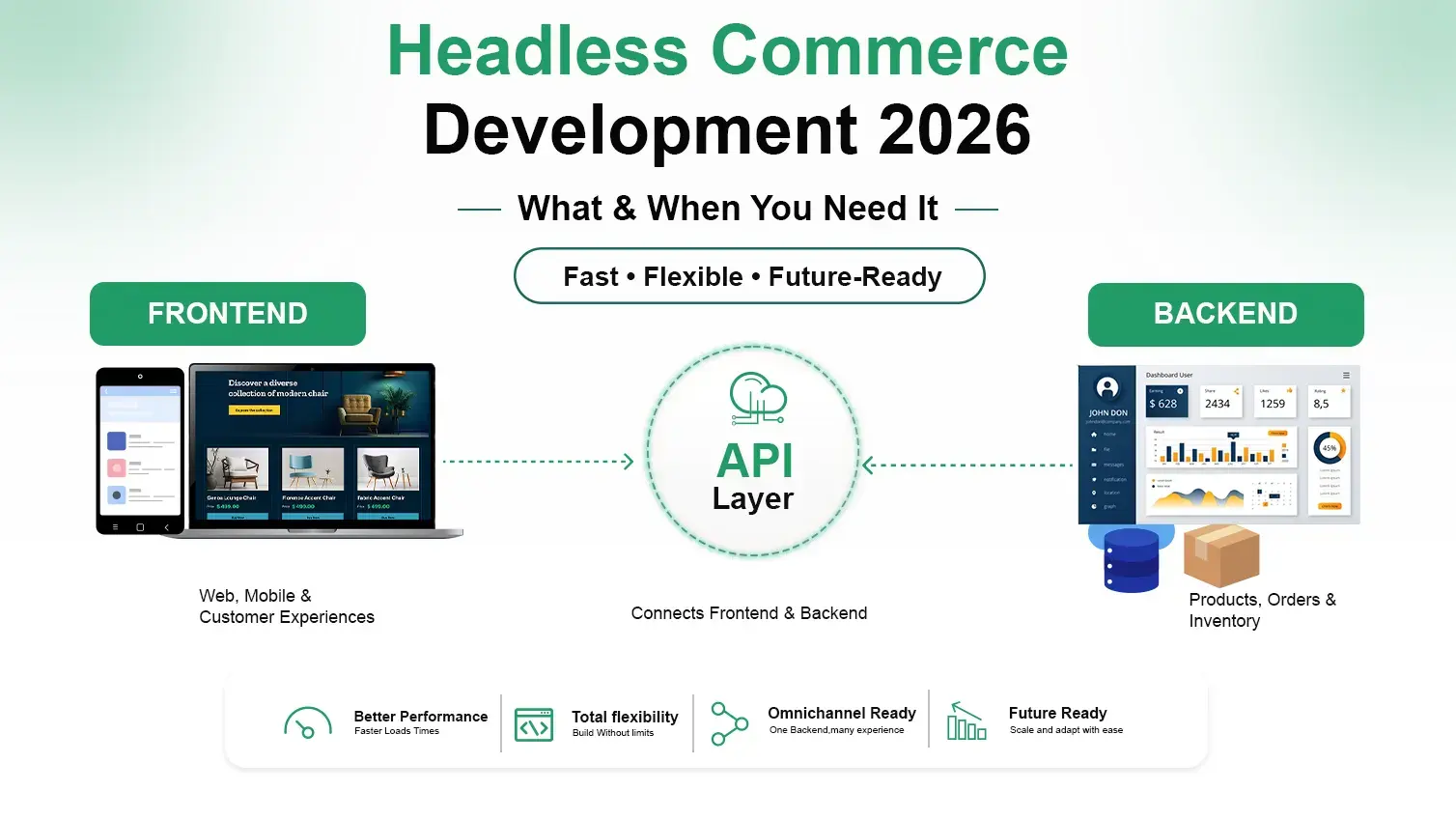
Headless Commerce: Front-End Speed Without a Backend Rebuild
Headless commerce decouples your front end from your backend. You keep Magento or another platform running the business logic, but the storefront runs on something like GraphCommerce or Shopify Hydrogen. This is the option we recommend when speed and front-end flexibility matter more than backend disruption. When we replatformed Tong Garden’s storefront from Magento to GraphCommerce, the goal wasn’t ripping out the backend. It was reducing storefront overhead and improving speed without touching the operational systems the team already relied on.
Honestly? I think headless gets oversold to merchants who don’t need it yet. If your team is three people and your catalog is 200 SKUs, a full headless commerce build is probably overkill. Save it for when the front end genuinely needs to move faster than the backend can.
Ready to Future-Proof Your Ecommerce Store?
Replatform your eCommerce business with confidence. We help brands migrate to modern commerce platforms while preserving SEO, customer data, integrations, and performance—so you can scale without disrupting your business.
How to Plan an Ecommerce Replatforming Project
A replatform that goes smoothly was planned six to eight weeks before a single line of code got written. Here’s the sequence we use.
- Audit the current store. Every integration, every custom module, every third-party API tied to the backend. Miss one and it breaks in production.
- Define what “done” looks like. Faster load times? Better B2B pricing logic? Fewer developer hours per feature? Write the actual numbers down.
- Choose the platform based on catalog complexity and team capability, not on what a competitor uses.
- Map every URL on the old site to its new equivalent, before migration, not after.
- Build in a staging environment while the live store keeps taking orders.
- Run a parallel test period. Real orders on the old site, test orders on the new one, side by side.
- Launch during a low-traffic window. Never during a sale event, and never on a Friday.
That sequence sounds tidy written out like this. In practice, step 4 is where most projects lose weeks, because nobody owns the URL map until someone asks for it in week nine.
Data Migration: What Moves and What Does Not
This is where a lot of merchants get an unpleasant surprise. Not everything transfers cleanly, and pretending it will is how launches slip.
What Transfers Cleanly
Product catalog data, customer accounts, order history (as read-only archive in most cases), and category structures typically move without much drama.
What Needs Manual Rebuilding
Custom checkout logic, loyalty program point balances, complex discount rule combinations, and any integration built specifically for the old platform’s API almost always need rebuilding by hand, not a straight import.
What Often Gets Left Behind
Product reviews with their original timestamps, wishlist data, and abandoned cart records. If your team doesn’t flag these early, they quietly disappear during the Magento development or Shopify build phase because nobody wrote them into the migration spec.
We map this out line by line before a single record moves, because “we’ll figure it out during QA” is how three-day launches turn into three-week ones.
SEO During Replatforming: How to Protect Rankings
This is the section that decides whether your replatform is a growth story or a cautionary one. Rankings built over years can evaporate in a bad migration, and they rarely come back at the same speed they were lost.
The non-negotiables:
- 301 redirect every single URL, old to new, before launch, not after. No exceptions, no “we’ll batch it later.”
- Preserve your metadata, title tags, meta descriptions, structured data, exactly as they were unless there’s a specific reason to change them.
- Keep your XML sitemap current and resubmit it in Google Search Console the day you launch.
- Match your URL structure as closely as the new platform allows. Every unnecessary change is a redirect chain waiting to slow down crawl budget.
- Monitor crawl stats and indexation daily for the first two weeks post-launch. Catch drops fast, not a month later when the damage has compounded.
Google‘s own guidance for site migrations on the Google Search Central documentation is worth reading before launch week, not during it. We’ve seen stores lose 30% of organic traffic in a botched migration and take four months to recover. We’ve also seen stores gain traffic within six weeks because the new platform loaded twice as fast and Google noticed immediately.
If this is the section you skim, don’t. It’s the one that actually protects the revenue you already have.
Ethnic Infotech Replatforming Case Studies
Real numbers land better than promises, so here’s what two of these projects actually looked like.
Tong Garden: Magento to GraphCommerce Headless
Tong Garden ran on Magento with a storefront that was getting slower as the catalog grew. Working alongside Thirteen Ideation, we replatformed the front end onto GraphCommerce while keeping Magento as the backend. Result: faster load times, less storefront overhead, and a cleaner path for the team to keep managing catalog and orders the way they already knew how.
Fusion5: Modernizing Magento Instead of a Full Replatform
Fusion5, a technology and electronics brand, needed their Magento store modernized to support both retail and wholesale pricing on the same catalog, with advanced filtering that their old setup couldn’t handle. Rather than a full platform swap, we focused the Adobe Commerce development work on product discovery and filtering depth, avoiding an unnecessary full replatform where a targeted modernization solved the actual problem.
That second one is a case worth sitting with. Not every “should we replatform” question ends in yes. Sometimes the right call is modernizing what you have, and a good delivery partner will tell you that even when a bigger project would pay them more.
Frequently Asked Questions
Q: What is ecommerce replatforming?
A: It’s the process of moving your online store’s entire technical foundation, catalog, checkout, backend, and integrations, to a new platform while preserving order history, customer data, and SEO rankings. It’s different from a redesign, which only changes appearance.
Q: How do I migrate my ecommerce store without losing SEO?
A: Redirect every old URL to its new equivalent with 301s before launch, keep metadata and structured data intact, resubmit your sitemap immediately, and monitor indexation daily for the first two weeks. Skipping any one of these is usually where traffic loss starts.
Q: How long does an ecommerce replatforming project take?
A: Most projects run 8 to 16 weeks. Simple catalogs on Shopify can move faster, closer to 6 to 10 weeks. Complex B2B catalogs with heavy integrations, especially anything involving Magento or headless builds, tend toward the longer end.
Q: Is Shopify better than Magento for replatforming in 2026?
A: Depends on what you’re running. Shopify wins on speed to launch and predictable costs for straightforward catalogs. Magento still wins for deep B2B pricing logic and catalog complexity that Shopify apps can’t fully replicate. Neither is universally “better.”
Q: How much does ecommerce replatforming cost in India?
A: It varies widely by catalog size and integration count, but Indian dev teams typically deliver replatforming projects at 40 to 60% of US or UK agency rates for comparable scope. A mid-size Shopify migration might run in the low five figures USD; a complex Magento-to-headless build runs higher.
Q: How do I know if I need to replatform at all?
A: If you’re hitting a hard technical ceiling, page speed that won’t move, catalog logic the platform can’t support, or spiraling dev costs for small changes, that’s a real signal. If the actual problem is UX or content, a redesign or modernization usually solves it cheaper and faster.
Q: What data actually moves during a replatform?
A: Product catalogs, customer accounts, and category structures typically move cleanly. Order history usually moves as a read-only archive. Custom checkout logic, loyalty balances, and platform-specific integrations almost always need manual rebuilding, and reviews or wishlists get lost if nobody flags them early.
Ready to plan your replatform?
Pragnesh and the team at Ethnic Infotech have run this exact process for Magento, Shopify Plus, and headless builds across the US, UK, and Singapore.
Planning your next product, platform, or growth move?
Ethnic Infotech helps teams shape scalable software, sharper customer experiences, and content systems that support real business growth.